
desktop app / offload

Basalt
Copy camera cards to your drives, verified.
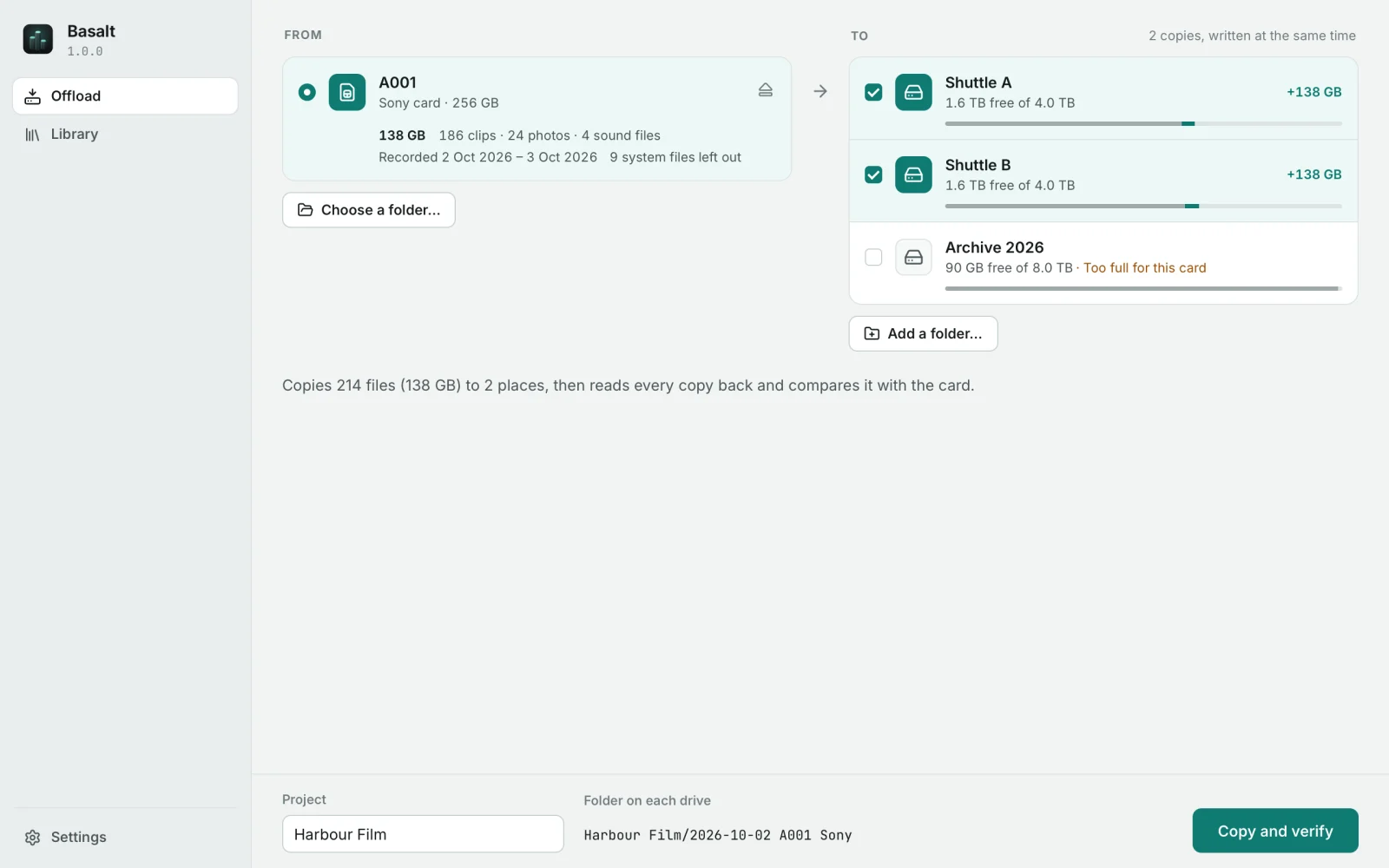
Basalt copies a card to two or more drives at once, reads every copy back and compares it with the card, and only then calls it safe. Every offload is remembered, so you can find a clip on a drive that sits on the shelf and check months later that the copies are still intact.
01 / interface
02 / what it does
Basalt, in six parts.
Windows 10 or later, macOS 11 or later (universal), or a 64-bit Linux desktop. Card reader and drives of your choice.
Every drive at once
Insert a card and it is chosen; the drives you used last time are ticked again. The card is read once and written to all of them together.
Proven, not assumed
Every copy is read back from its drive, past the system's cache, and compared with the card by checksum. A copy that does not match is written again, then reported.
Nothing overwritten
Files already on the drive are compared instead of copied, a different clip with the same name is kept beside it, and a second camera gets its own folder.
Safe when things go wrong
Pull a drive mid-offload and the others carry on. Stop or quit and no half-written file is left; offloading again copies only what is missing.
Find any clip
The library remembers which clip went to which drive. Search finds it even on a drive that is not connected, and older drives join by being catalogued.
Check again
Months later, read the copies again and see which files changed, went missing, or became unreadable, and where an intact copy is. MHL checksum lists for editors included.
03 / license
€29.99one-time · VAT included · Basalt and Quartz
- Every Basalt 1.x update
- Three computers at once, moved whenever you like
- Works offline after activation
- 14 days to change your mind, full refund
04 / the family